- Get link
- X
- Other Apps
 There are times when you need to have the Image formats converted from one to another. I too faced similar issues when I had to convert some gaming Snapshots (default bitmaps .bmp ) into other formats. Bitmaps are the most un-optimized formats for Web Graphics, and it is better to use other formats like .png , .gif or .jpeg (preferably in that order ) for web applications.
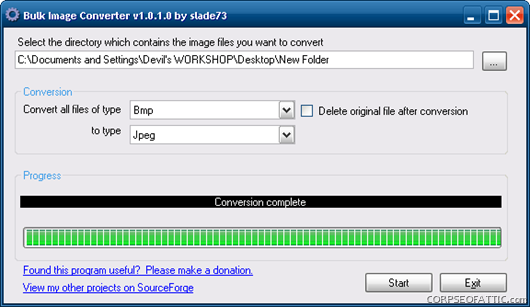
Such an Issue also arises while converting Images from a Digital Camera. So Here is a Little useful app that let batch conversion be done with utter ease, minus all the fuss, that most costly apps come with. This little proggie is named Bulk Image Converter and is a freeware.
All you have to do is select the base folder, which has to be converted. Select the Input format of pictures, and the Output Format you wish to be the outcome in. Click on Start button, and within moments you are done. The app is a breeze, and converts the images pretty much good.
You can download it for free at SourceForge.net . here are the Related Links for Downloads:
LINKS : Bulk Image Converter Homepage | Download Bulk Image Converter
Comments
Post a Comment
Use Real names , No Spam or Anonymous Comments (Commenting Policy)
All Comments are moderated
This sounds like a very handy app. Converting a lot of images would take a ton of time if done manually. I prefer to save web images with photoshop as it allows me to optimize the image for quality & size. Still I'll keep this app in mind if I need to convert a bunch of images anytime soon.
ReplyDelete